How to Turn Vacation Photos Into Beautiful Instagram Carousel Posts
Your vacation might only last a few days, but the memories can last forever.
Whether you've explored the beaches of Bali, wandered through the streets of Paris, enjoyed sunsets in Santorini, or taken a weekend road trip with friends, your camera roll is probably filled with incredible photos.
The challenge is deciding how to share them.
Instead of posting dozens of individual images, more creators are turning their vacation memories into beautiful Instagram carousel posts that tell a complete story.
In this guide, you'll learn how to transform your travel photos into engaging carousel posts that people actually enjoy swiping through.
Why Carousel Posts Are Perfect for Travel Photos
A single Instagram photo only captures one moment.
A carousel lets you tell the entire story.
You can take your audience from the beginning of your trip to the very end, creating an experience rather than just showing random pictures.
Travel creators use carousel posts because they help:
Tell a complete travel story
Showcase multiple locations
Highlight details that would otherwise be missed
Keep followers engaged for longer
Create memorable visual experiences
Instead of choosing your "best" photo, you can include all the moments that made the trip unforgettable.
Start by Organizing Your Photos
Before designing anything, go through your camera roll.
Instead of selecting every photo, choose images that work together.
A typical travel carousel might include:
Your arrival
Scenic landscapes
Local cafés
Food experiences
Street photography
Architecture
Friends or family
Sunset views
Small details
Your favorite memory
Think of your carousel as a visual travel diary.
Build a Story, Not Just a Gallery
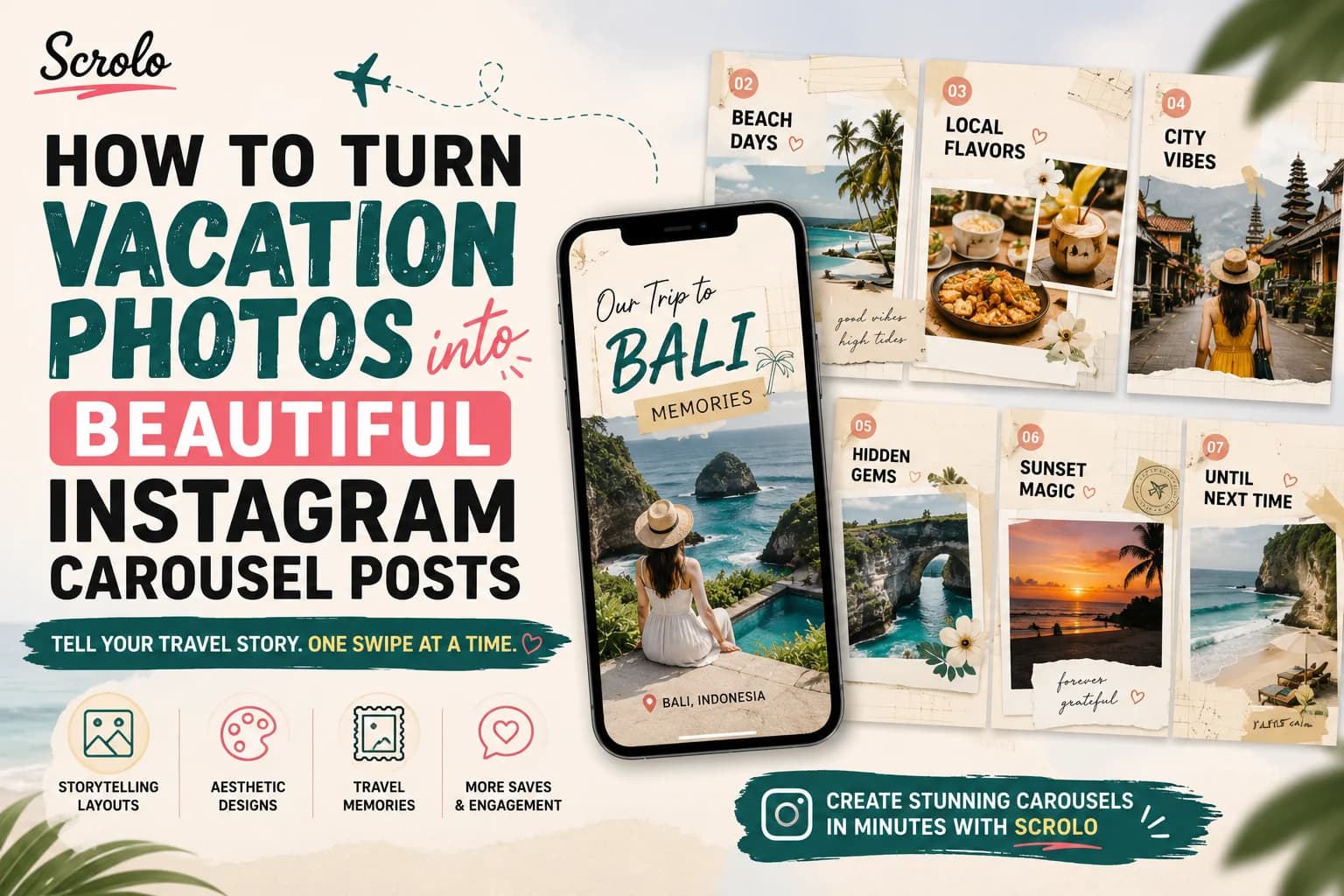
The best travel carousels feel like flipping through a scrapbook.
Instead of arranging photos randomly, create a simple flow.
For example:
Slide 1
A cover photo that grabs attention.
Slides 2–4
Arrival, sightseeing, and first impressions.
Slides 5–7
Food, cafés, shopping, and hidden gems.
Slides 8–9
Favorite moments and candid memories.
Final Slide
A memorable ending with a question or reflection.
This storytelling approach encourages viewers to swipe until the end.
Choose an Aesthetic Layout
Layout makes a huge difference.
Rather than filling each slide with a single image, combine photos using creative compositions.
Popular travel layouts include:
Scrapbook designs
Polaroid frames
Filmstrip layouts
Minimal grids
Seamless panoramic carousels
Magazine-inspired layouts
A well-designed layout instantly makes vacation photos feel more polished.
Keep Colors Consistent
One reason travel creators have beautiful Instagram feeds is color consistency.
Try to:
Use similar lighting
Avoid mixing warm and cool edits
Apply one editing style throughout the carousel
Balance bright and neutral tones
Consistency creates a more professional look.
Add Small Design Details
Small details make travel posts more memorable.
Consider adding:
Location names
Travel dates
Handwritten notes
Minimal typography
Simple doodles
Ticket or postcard-inspired elements
These additions help transform ordinary photos into visual stories.
Use Seamless Carousel Designs
One of the biggest Instagram trends in 2026 is the seamless carousel.
Instead of treating every slide separately, the design flows naturally across multiple slides.
This creates a smoother swipe experience and encourages viewers to keep exploring your content.
Seamless layouts are especially effective for:
Beach panoramas
City skylines
Travel journals
Landscape photography
Storytelling posts
Save Time With Ready-Made Travel Templates
Designing everything from scratch can take hours.
Instead, many creators start with professionally designed templates.
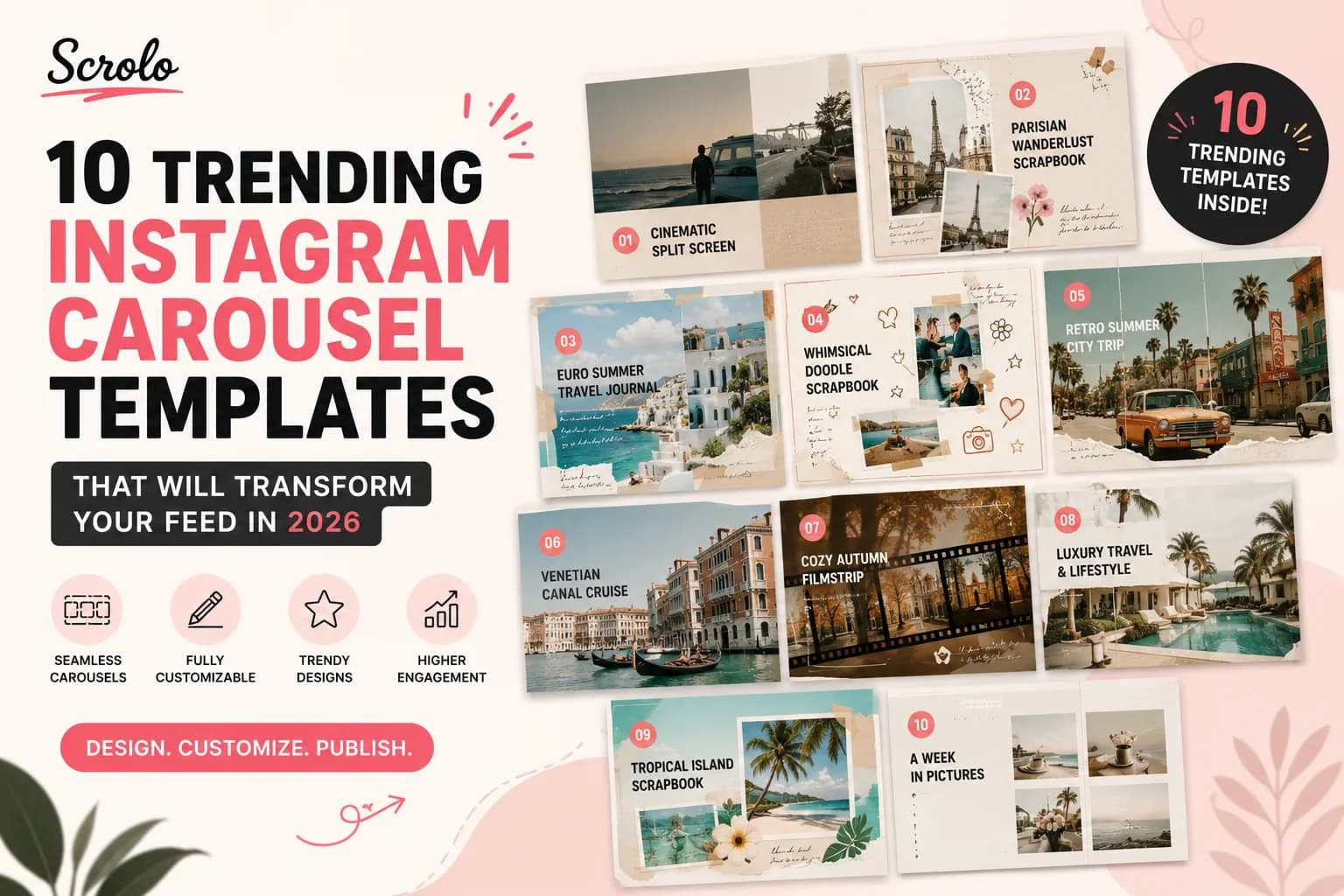
Scrolo offers a growing collection of Instagram carousel templates inspired by real travel experiences.
Some popular travel templates include:
Parisian Wanderlust Scrapbook
Euro Summer Travel Journal
Retro Summer City Trip
Venetian Waterway Canal Cruise
Luxury Travel & Lifestyle
Tropical Island Scrapbook
Simply replace the photos with your own, customize the text, and export a ready-to-post carousel in minutes.
Browse the complete collection of travel-inspired templates here:
👉 Instagram Templates: https://scrolo.app/templates
Or start creating your own using the Instagram Carousel Maker:
👉 https://scrolo.app/instagram-carousel-maker
Common Mistakes to Avoid
Even beautiful travel photos can lose impact if the design is cluttered.
Avoid:
Uploading too many similar photos
Inconsistent image editing
Overcrowded layouts
Too much text
Random slide order
Low-quality images
A clean, thoughtful design usually performs much better.
Tips to Increase Carousel Engagement
Want more people to swipe through your travel posts?
Try these tips:
Choose an eye-catching first slide.
Tell a story from beginning to end.
Mix wide shots with close-up details.
Include candid moments, not just perfect photos.
End with a question to encourage comments.
Write a caption that adds context to your trip.
The more engaging your story, the more likely people are to save and share your carousel.
Final Thoughts
Your vacation memories deserve more than a folder full of photos.
With the right layout, storytelling, and design, you can transform ordinary travel pictures into Instagram carousel posts that capture the feeling of your journey.
Whether you're documenting a weekend getaway, a European adventure, or a tropical island escape, a thoughtfully designed carousel helps your memories stand out.
If you want to create beautiful travel carousels without spending hours designing from scratch, Scrolo makes the process simple with customizable templates, seamless layouts, and an editor built specifically for Instagram creators.
Build it with Scrolo
Jump straight into the tool that matches your goal.